
10 everyday recipes
Make room for
what matters.
Practical ways to use Tysh for quieter evenings, focused work, and fewer automatic phone checks. Pick one recipe, adjust it to your day, and start small.
Find your recipeStart here · Wind Down
Your day can end
without one more scroll.
Put your phone to bed at 10 PM. Make room for a book, a small evening ritual, and rest.
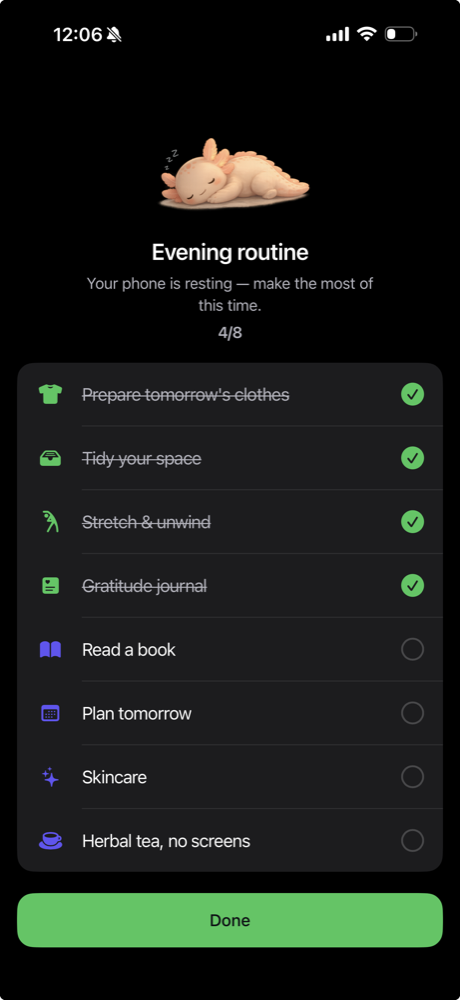
Find a little more room.
10 recipes to try
Put your phone to bed at 10 PM
Give the end of your day to a book, a small evening ritual, and rest.
Every night · 22:00–07:00
Wind Down
Protect the first two hours of work
Start the workday on your own task before opening the feeds.
Weekdays · 09:00–11:00
Time Block / Easy
Keep dinner free from feeds
Make room for a meal and a conversation without a quick scroll in between.
Every day · 18:30–19:30
Time Block / Hard
Hold a firm boundary for an important deadline
Choose a stronger commitment for a work window you want to finish.
Fridays · 14:00–16:00
Time Block / Complete
Turn automatic Instagram checks into three short visits
Put a boundary around repeatedly opening the same app.
3 visits · 5 minutes each
Budget Block / Launch Budget
Give short videos a daily limit
Enjoy some videos without leaving the session open-ended.
20 minutes per day
Budget Block / Time Budget
Start the task you have been putting off
Make space for one concrete task: write the first paragraph, clear the desk, or read a chapter.
One task · 25 minutes
Quick Focus
Study in rounds with real breaks
Give a longer study session a clear work-and-rest structure.
4 rounds · 25 work / 5 rest
Focus / Rhythms
Check messages at chosen times
Give messages their own place in the day instead of checking between every task.
3 daily message windows
Open Lines
Take a walk before opening the feeds
Put a chosen movement goal before today's social feed.
5,000 steps before feeds
Time Block / Challenge
One recipe is a good start.
These are choices, not a to-do list. Try one boundary that fits your day. The times and allowances are examples you can adapt.
Free includes one App List to reuse across schedules. Extra lists need Premium. If two protections cover the same app, it stays blocked until both allow access.
Need a hand getting set up?