
Tysh
Protect your focus from app drift.
Block distracting apps and websites, budget daily opens, start calm focus sessions, and protect bedtime with Wind Down — without shame, leaderboards, or noisy gamification.
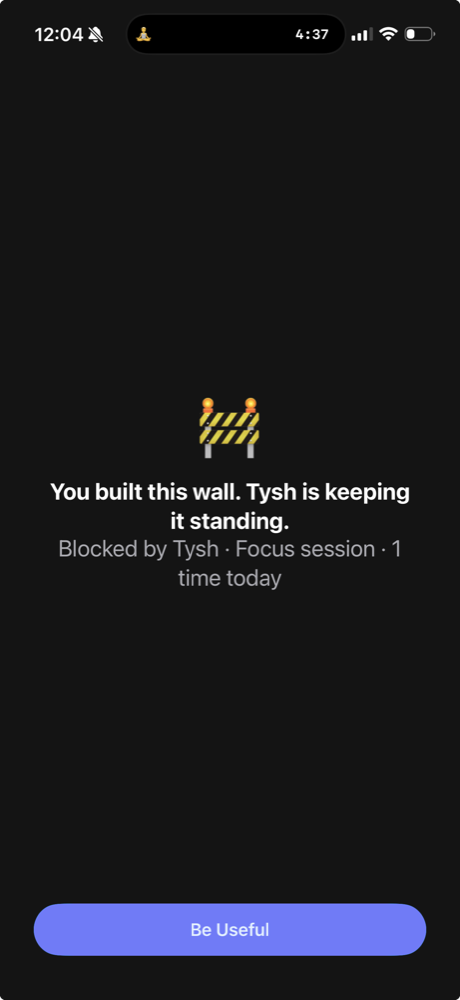
Block distractions automatically. Apps and websites stay out of the way when your protected time starts.
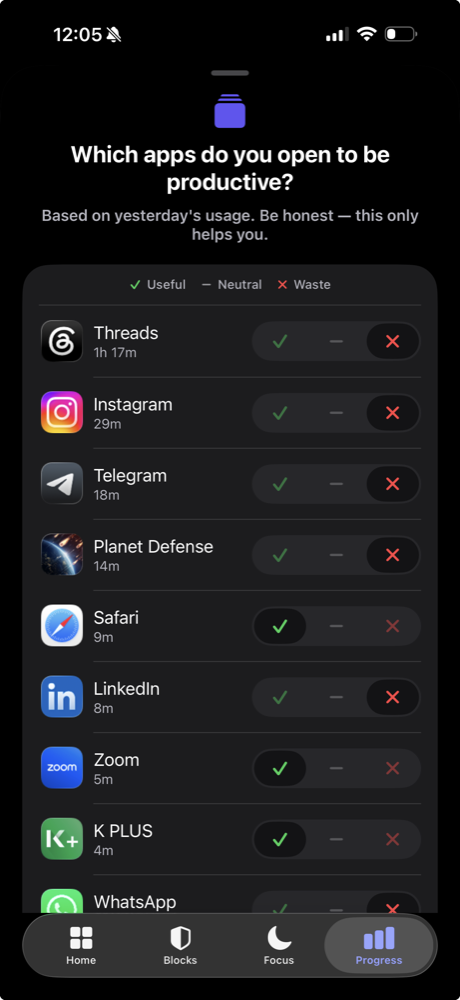
Less noise. More control.
Tysh gives you the tools to protect your attention and build better habits — on your terms.
Block what pulls you away
Schedule recurring blocks of apps, categories, and websites around work, study, and sleep — with reusable app lists and a calendar view.
Budget app opens
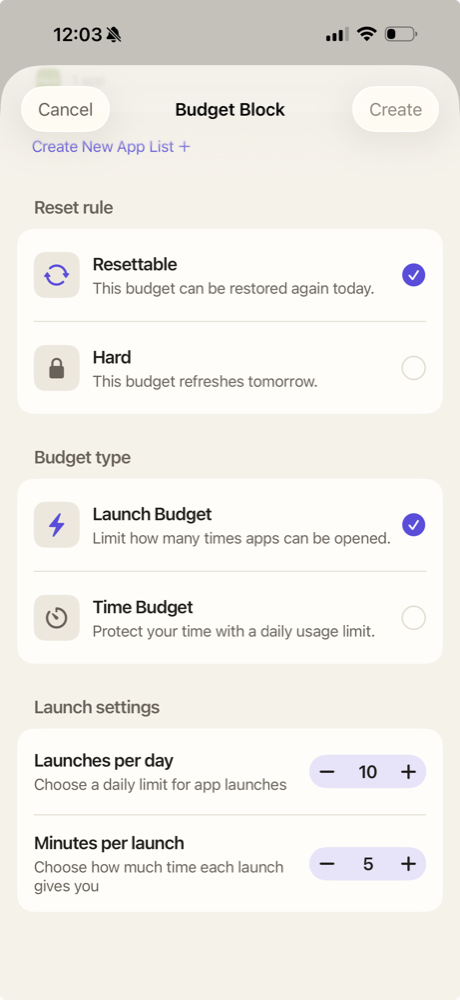
Launch Budgets decide how often — or how long — distracting apps can open each day, instead of relying on willpower.
Start protected focus
Choose a duration and soundscape, then let Tysh hold the line until the timer ends.
Wind down for bed
Put your phone to rest across your sleep window and follow gentle evening and morning checklists.
How it works
Three simple steps to protect your focus.
Choose the apps that pull your attention
Select the apps and websites that distract you most. Tysh makes it easy to build your personal block list.
Set protected times or start a focus session
Schedule automatic blocks for your morning routine, deep work hours, or bedtime Wind Down. Or start a session whenever you need it.
Tysh steps in when your future self needs backup
When you reach for a blocked app, Tysh gently reminds you of your commitment and helps you stay present.
The Tysh recipe book
A little less phone.
A little more life.
Real situations. Simple setups. Find a boundary that fits your day.
Put your phone to bed at 10 PM
Give the end of your day to a book, a small evening ritual, and rest.
Every night · 22:00–07:00
Wind Down
Protect the first two hours of work
Start the workday on your own task before opening the feeds.
Weekdays · 09:00–11:00
Time Block / Easy
Turn automatic Instagram checks into three short visits
Put a boundary around repeatedly opening the same app.
3 visits · 5 minutes each
Budget Block / Launch Budget
Strict but calm
Choose how firmly Tysh holds each boundary — from a gentle pause to a full commitment. Every mode stays calm about it.
Easy
Flexible protection with intentional friction. A pause to reconsider before you override.
Hard
Fewer escape routes. Requires more deliberate action to break through in the moment.
Complete
Full commitment with a single weekly emergency end. For the boundaries you most want kept.
Built for iPhone privacy.
Tysh uses Apple's Screen Time technology to block the apps, categories, and websites you choose, and HealthKit data to support your experience. Your HealthKit data stays on your iPhone and is never sent to Tysh or any other server.
Stays on your device
Detailed Screen Time activity, app usage, and HealthKit data never leave your iPhone.
No ads or tracking
No advertising SDKs and no third-party advertising tracking.
No account required
Use Tysh without signing in. An optional account only backs up your setup.
No shame-based feeds
No social comparison, no public leaderboards, no guilt trips.
Free to start. Premium for stronger commitments.
The core boundary system is free. Premium adds depth, not escape routes. Cancel anytime.
Free
- Scheduled Easy and Hard blocks
- One reusable app list
- Launch Budgets for daily opens
- Silent focus sessions
- One Easy-block pause per day
- Wind Down with evening & morning checklists
- Screen Time reports, streaks & widgets
Premium
- Unlimited reusable app lists
- Complete Blocks for your strongest commitments
- Unlimited Easy-block pauses
- Focus sounds: rain, train, and white noise
- Let essential apps through during focus
- Up to four focus shortcuts from the app icon
Subscriptions renew automatically until canceled. Manage or cancel in your Apple Account settings. Free-trial availability depends on Apple eligibility.
Protect the time you already decided matters.
Available now on the App Store.